Your AI is running.
You have no idea
what it's doing.
The self-hosted cockpit for Claude Code, Codex CLI & Gemini CLI sessions. See every session, every cost, every output — in real time. On your server.
docker run -d -p 5055:5055 ghcr.io/web-werkstatt/session-pilot
✓ Running at http://localhost:5055
✓ Sessions synced: 341 sessions across 5 accounts
✓ Containers: 19 running · 0 unhealthy
You're not working with AI.
You're managing chaos.
Multiple sessions. Costs in the background. No history. No control.
- Sessions run unattended. You have no idea what's happening right now, in which project, at what cost.
- Costs are invisible. The API bill arrives. You have no breakdown. Nothing is attributable.
- Outputs are gone. Claude did something. But what exactly? The session is closed. Nothing is findable.
- No cross-project overview. Five projects, three accounts, zero visibility about which model ran where for how long.
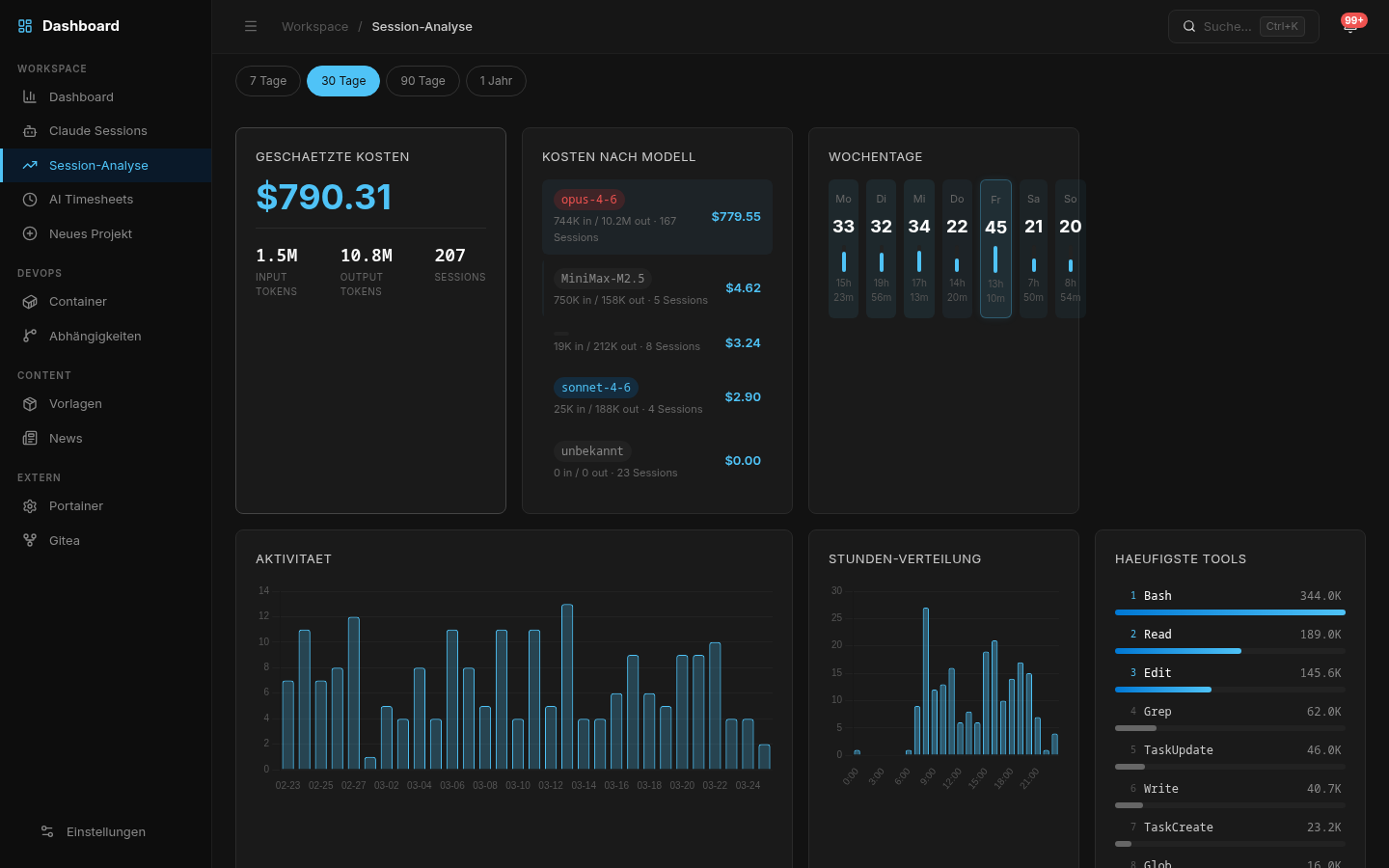
You see every session.
Every cost.
Everything that actually happened.
No more guessing.
What you actually see.
Each feature has a clear purpose: make something visible that was invisible before.
See immediately what Claude is doing. Full Markdown rendering, syntax highlighting, timestamps per message, navigable table of contents.
API costs broken down by model, project and timeframe. Token tracking, heatmaps, trend charts.
Reconstruct, not guess. Every session logged, searchable, rateable. OK / Needs Fix / Reverted / Partial.
See which containers are running, healthy, or problematic. Live status, health checks, ports, uptime.
Automatic time tracking derived from session data. Know exactly how many hours each project consumed. Export-ready.
7 automated checks: file sizes, duplication, cyclomatic complexity, CSS quality, architecture rules. Baseline and diff workflow.
Automatically detects projects, monorepos, and sub-projects. Tabbed detail view: sessions, plans, documents, relations.
Ripgrep-powered search across all projects. Ctrl+K command palette for instant navigation.
Auto-discovers all AI coding accounts on your system. Claude Code, OpenAI Codex CLI, Google Gemini CLI — all in one dashboard.
Real-time burn rates, plan limits (Pro/Max 5x/Max 20x), cost predictions, and reset timers — per account. Know exactly when you'll hit your limit.
The dashboard in action
Screenshots from real usage. What you see is what you get.
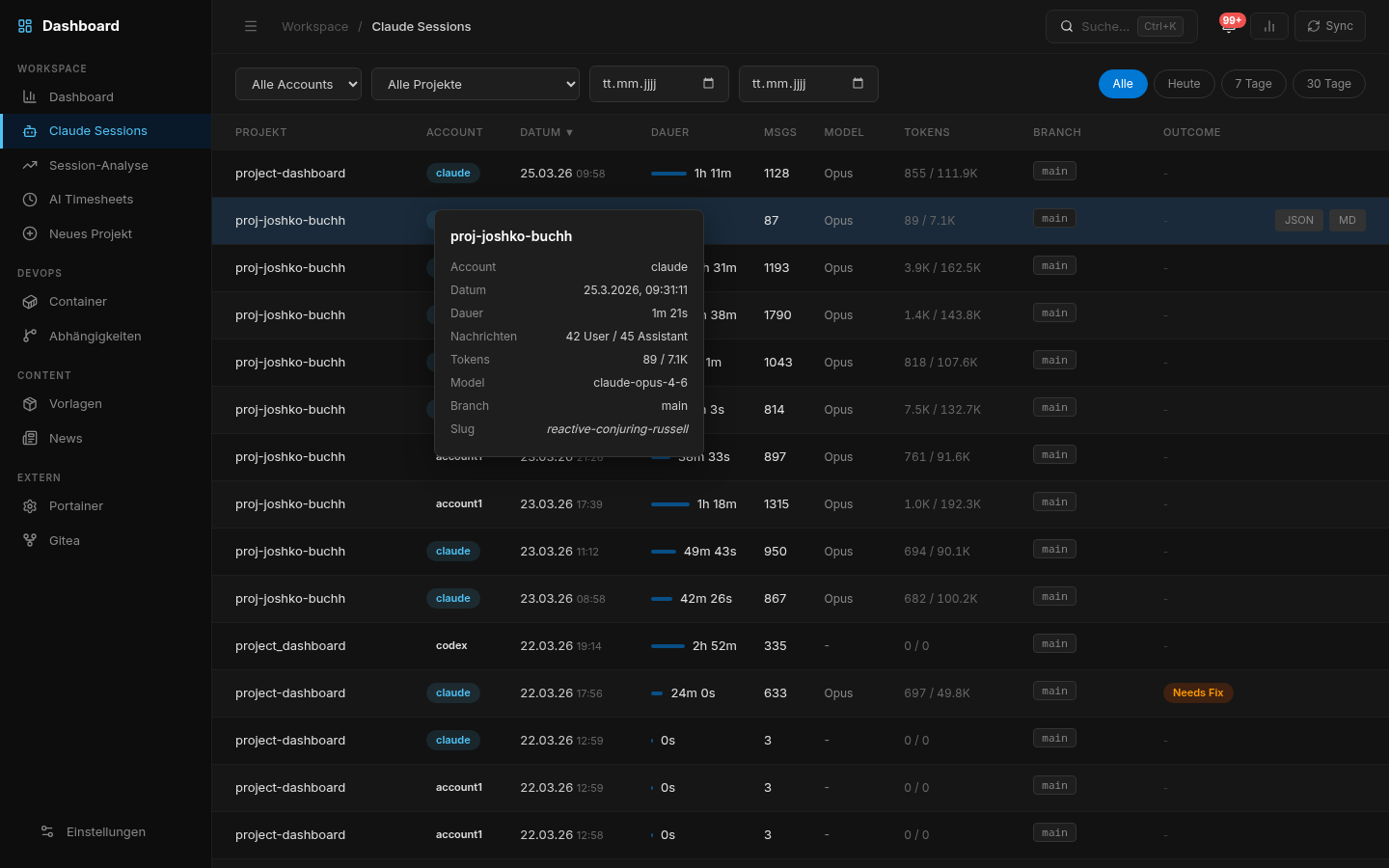
All sessions across all accounts. Filter by project, date, model.
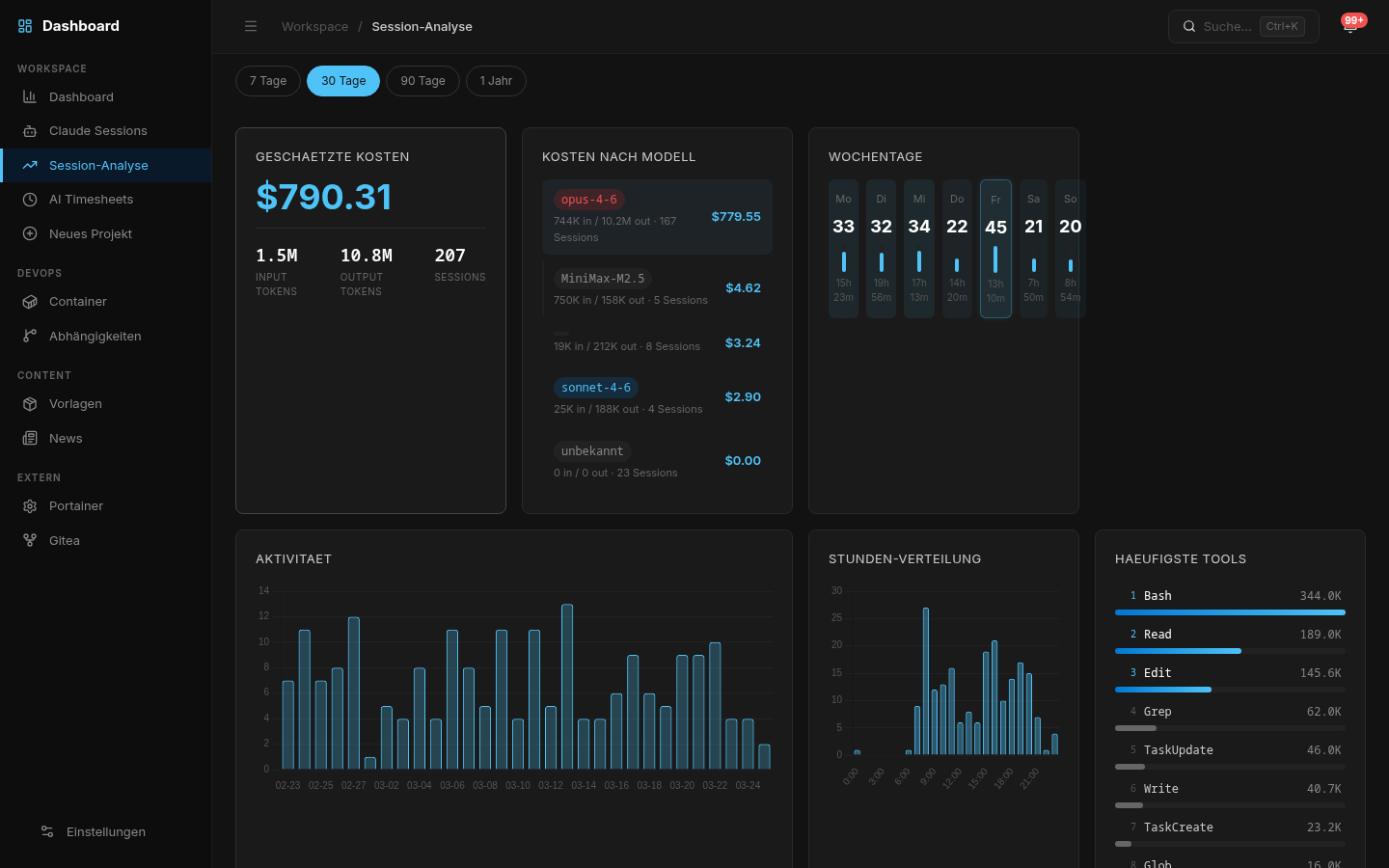
API costs broken down by model, project, and period. No surprises.
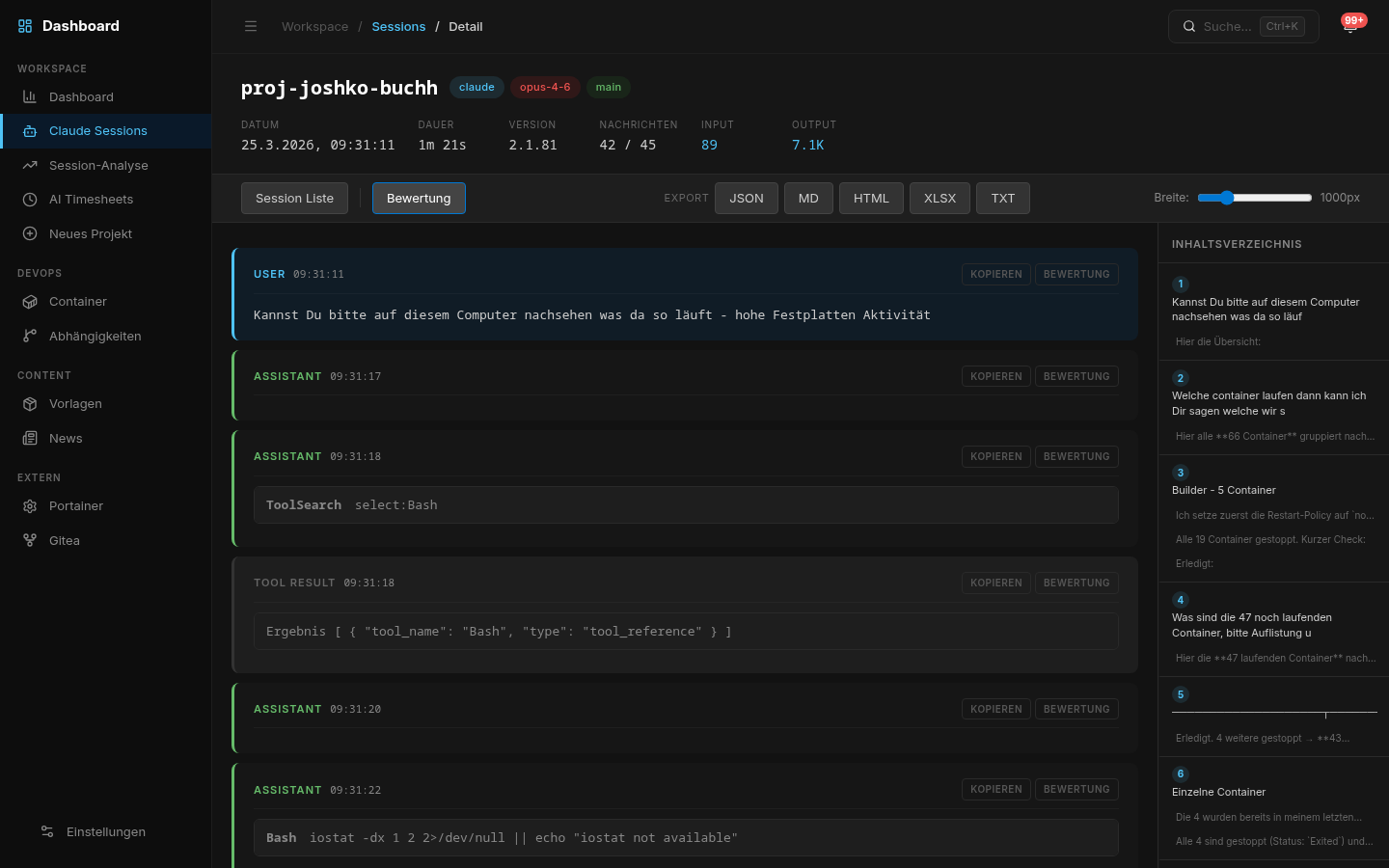
Full Markdown rendering, code blocks with syntax highlighting, navigable TOC.
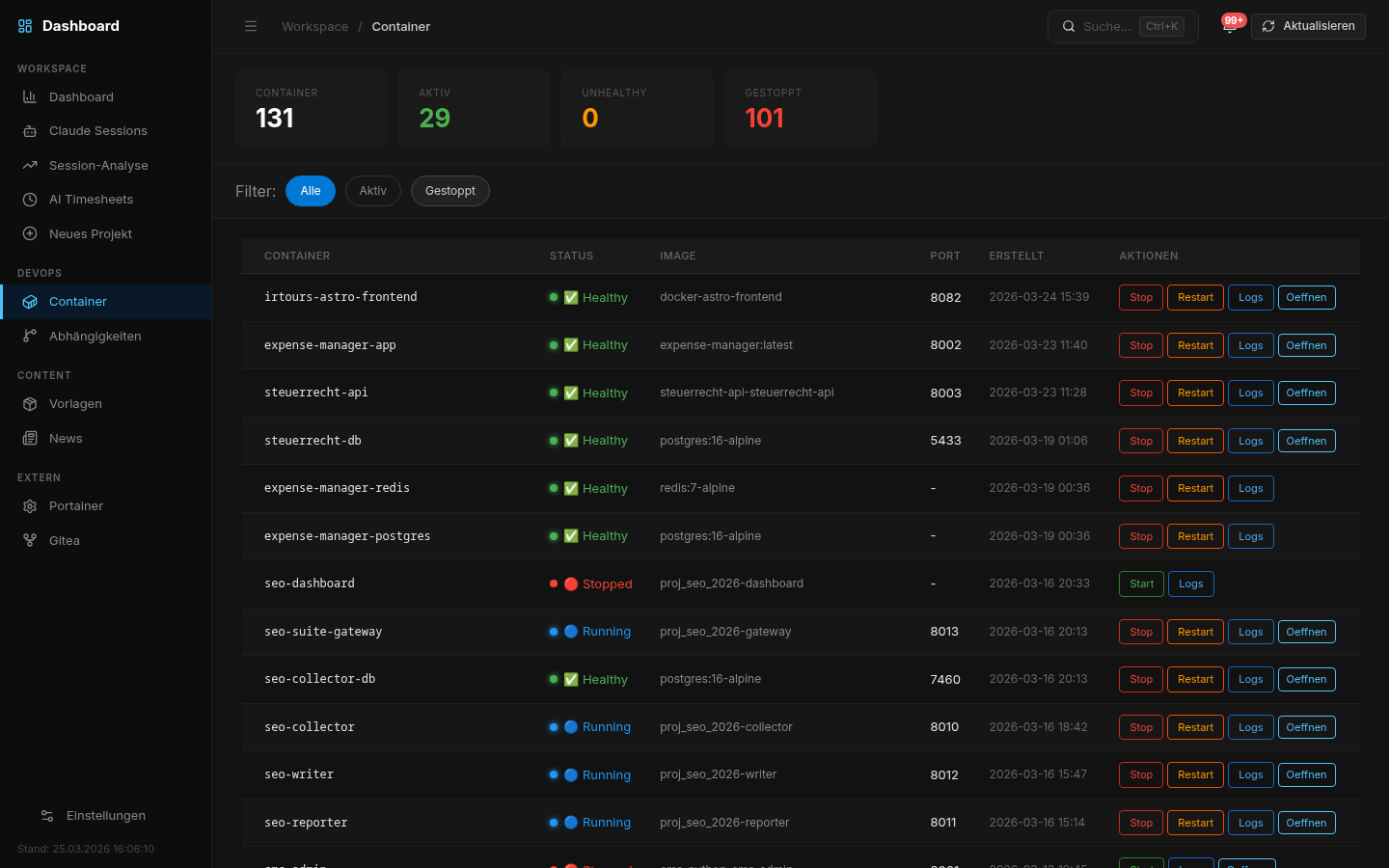
Live container status, health checks, port overview. Unhealthy containers notify immediately.
Dashboard, Plans, Quality
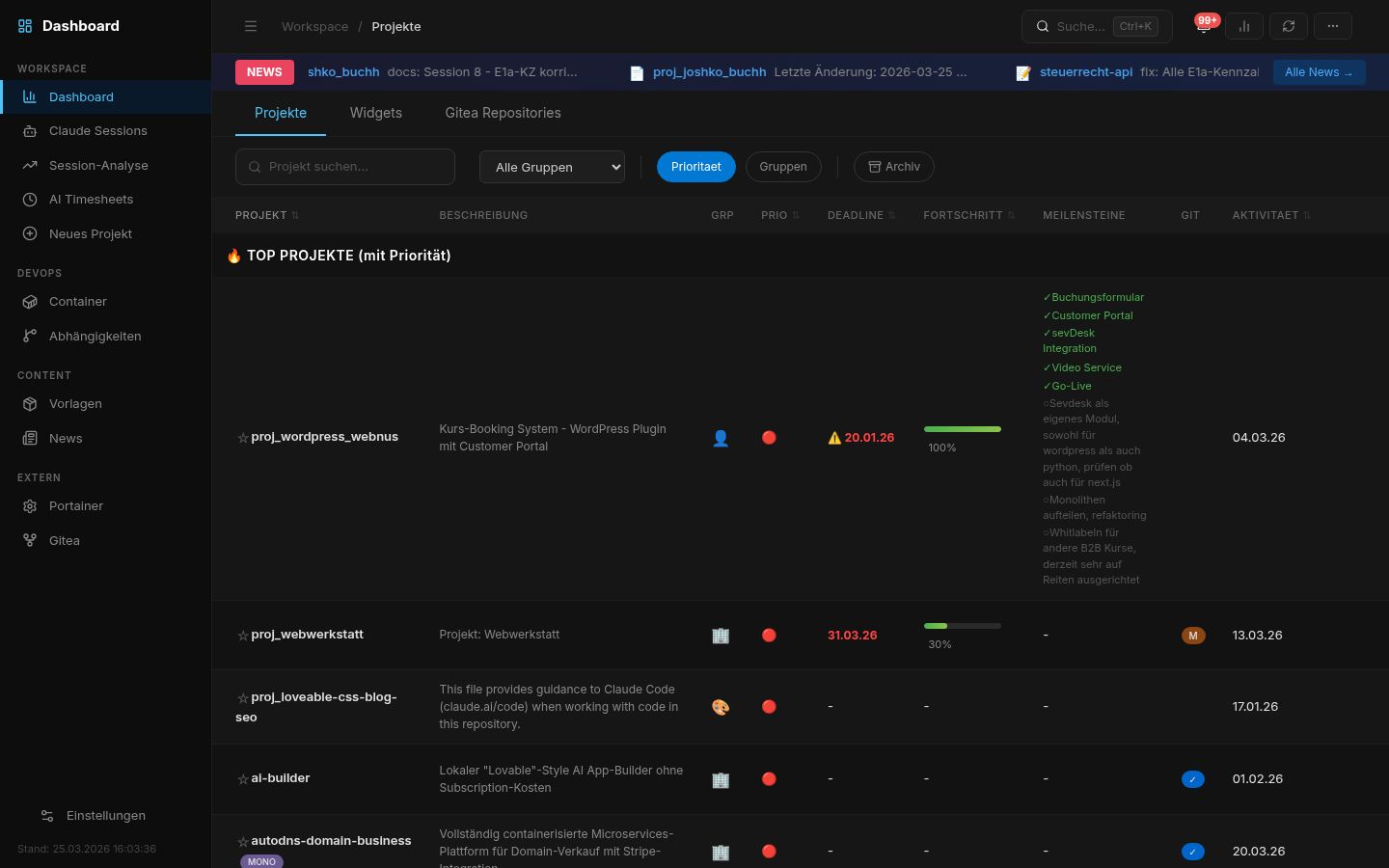
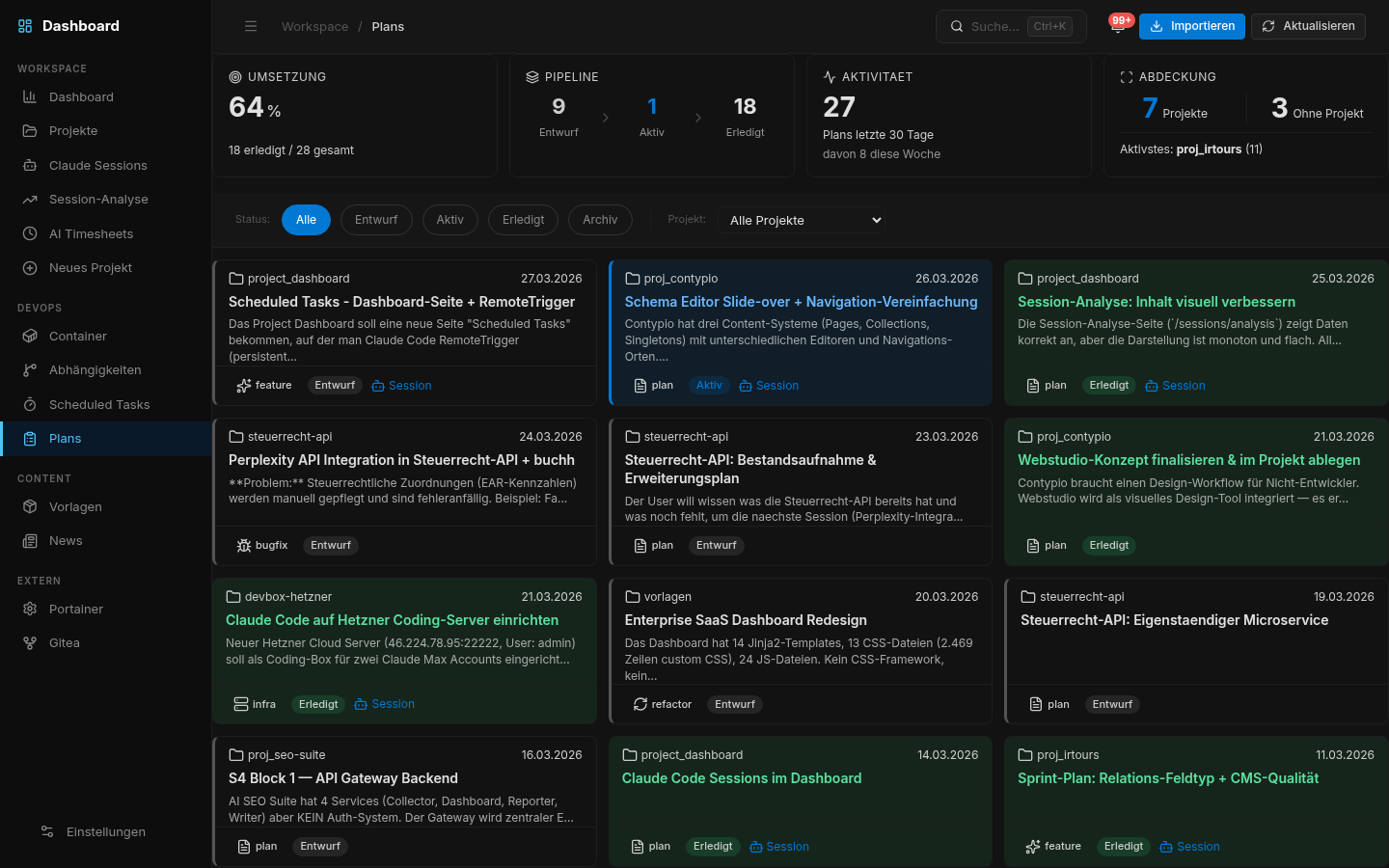
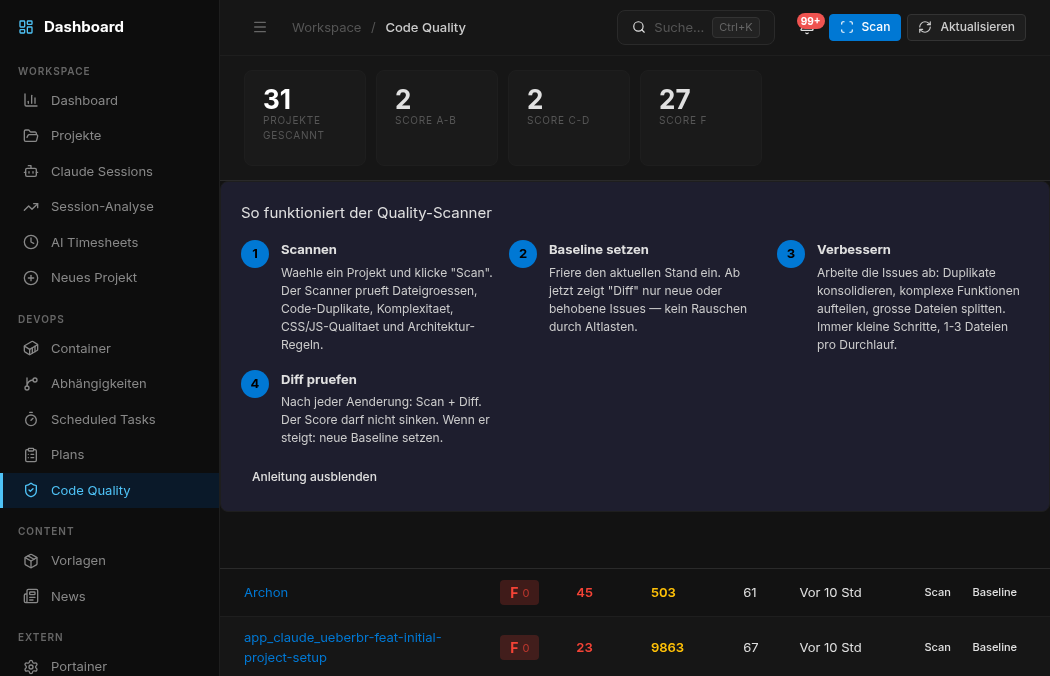
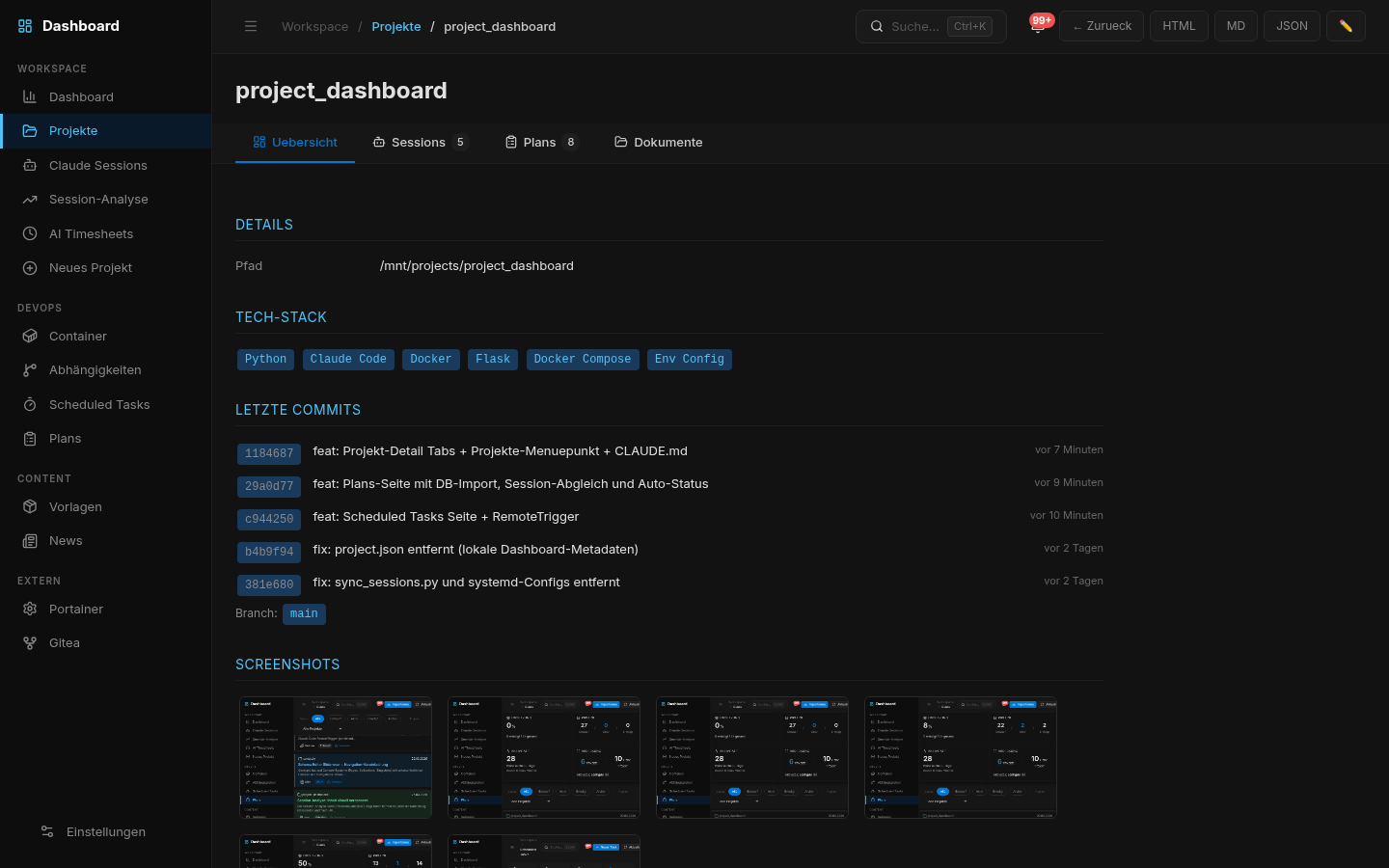
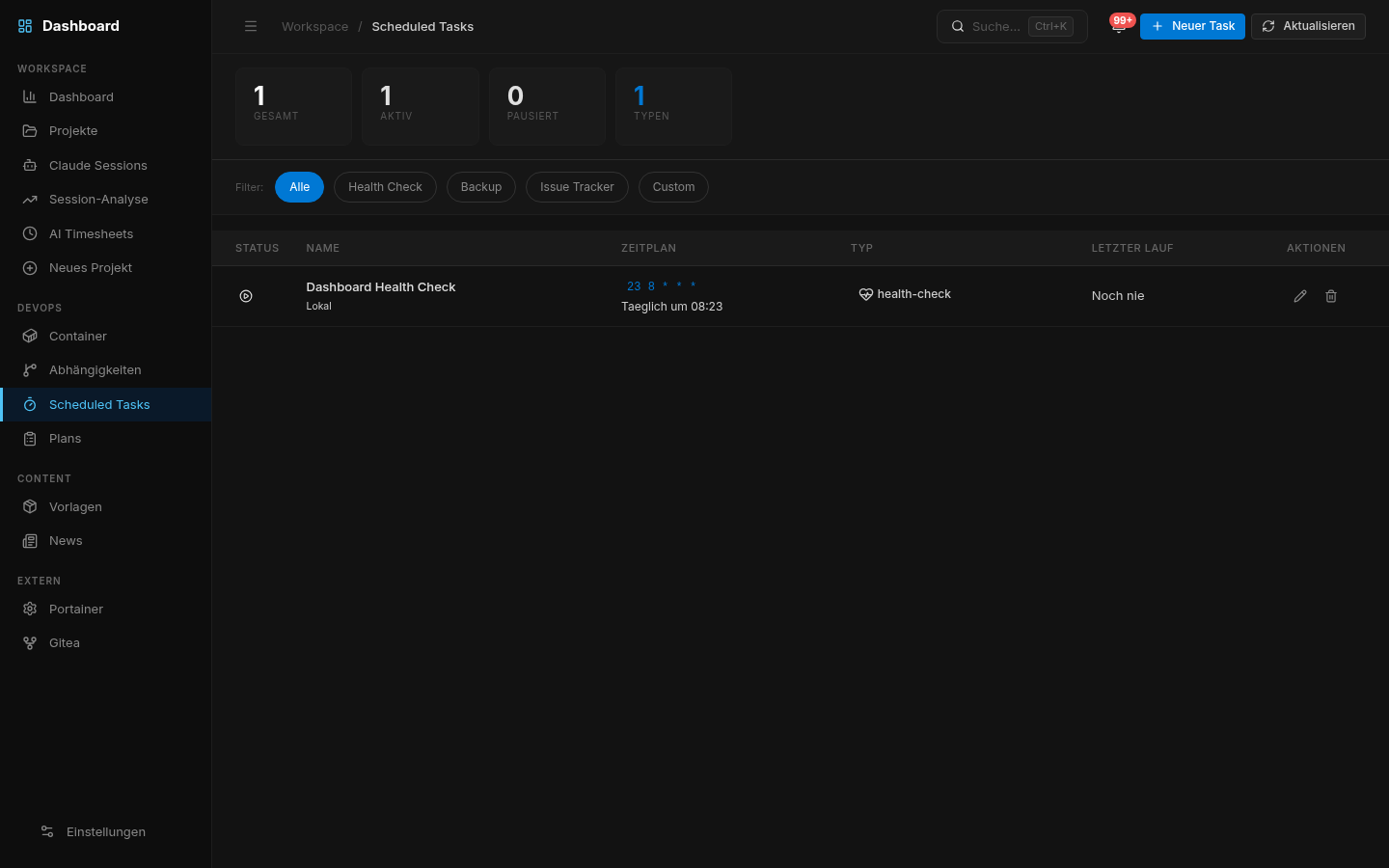
Running in 1 command
No build step. Docker or interactive setup wizard. Linux, macOS, Windows. PostgreSQL optional — everything works without it except Sessions.
docker run -d -p 5055:5055 -v /mnt/projects:/mnt/projects:ro -v ~/.claude:/home/user/.claude:ro ghcr.io/web-werkstatt/session-pilot
http://localhost:5055 # sessions auto-discovered
Or clone the repo for full control: git clone https://github.com/web-werkstatt/session-pilot.git — includes docker-compose.yml with PostgreSQL, setup wizard (./setup.sh), and .env configuration.
- ✓Full source code on GitHub
- ✓MIT License — commercial use permitted
- ✓No API key required
- ✓No cloud, no telemetry, no SaaS
- ✓Works offline on your own server
- ✓Docker & systemd deployment
Your server.
Your data.
Your rules.
What's inside
No magic dependencies. No vendor lock-in. Standard tooling that runs anywhere.
- Python 3.9+ Application REQUIRED
- Flask Web Framework REQUIRED
- PostgreSQL 14+ Session Storage OPTIONAL
- Docker Container Monitoring OPTIONAL
- ripgrep Full-text Search OPTIONAL
- Gitea Git Integration OPTIONAL
Built for developers
who actually use Claude Code.
Frequently asked questions
./setup.sh on Linux/macOS or setup.ps1 on Windows. The interactive wizard checks prerequisites, finds free ports, and sets up the database automatically.
git pull && docker compose up -d --build. That's it.
You've been guessing
long enough.
Start seeing.
1 command. 30 seconds. Everything visible — on your own server.
Free forever · Self-hosted · MIT License · No registration
