Your AI is running.
You have no idea
what it's doing.
Deine AI läuft.
Du weißt nicht,
was sie macht.
The self-hosted cockpit for Claude Code, Codex CLI & Gemini CLI sessions. See every session, every cost, every output — in real time. On your server.
Das self-hosted Cockpit für Claude Code, Codex CLI & Gemini CLI Sessions. Jede Session, jede Ausgabe, jeden Cent — in Echtzeit. Auf deinem Server.
git clone https://github.com/web-werkstatt/session-pilot.git
cd session-pilot && cp .env.example .env
docker compose up -d
✓ Running at http://localhost:5055
✓ Sessions synced: 341 sessions across 5 accounts
✓ Containers: 19 running · 0 unhealthy
You're not working with AI.
You're managing chaos.
Du arbeitest nicht mit AI.
Du verwaltest Chaos.
Multiple sessions. Costs in the background. No history. No control.
Mehrere Sessions. Kosten im Hintergrund. Kein Verlauf. Keine Kontrolle.
- PROBLEM Sessions run unattended. You have no idea what's happening right now, in which project, at what cost. Sessions laufen unbeaufsichtigt. Du weißt nicht, was gerade in welchem Projekt zu welchen Kosten passiert.
- PROBLEM Costs are invisible. The API bill arrives. You have no breakdown. Nothing is attributable. Kosten sind unsichtbar. Die API-Rechnung kommt. Du hast keine Aufschlüsselung. Nichts ist zuzuordnen.
- PROBLEM Outputs are gone. Claude did something. But what exactly? The session is closed. Nothing is findable. Outputs sind weg. Claude hat etwas getan. Aber was genau? Die Session ist geschlossen. Nichts ist auffindbar.
- PROBLEM No cross-project overview. Five projects, three accounts, zero visibility about which model ran where for how long. Keine projektübergreifende Übersicht. Fünf Projekte, drei Accounts, null Sicht darauf, welches Modell wo wie lang lief.
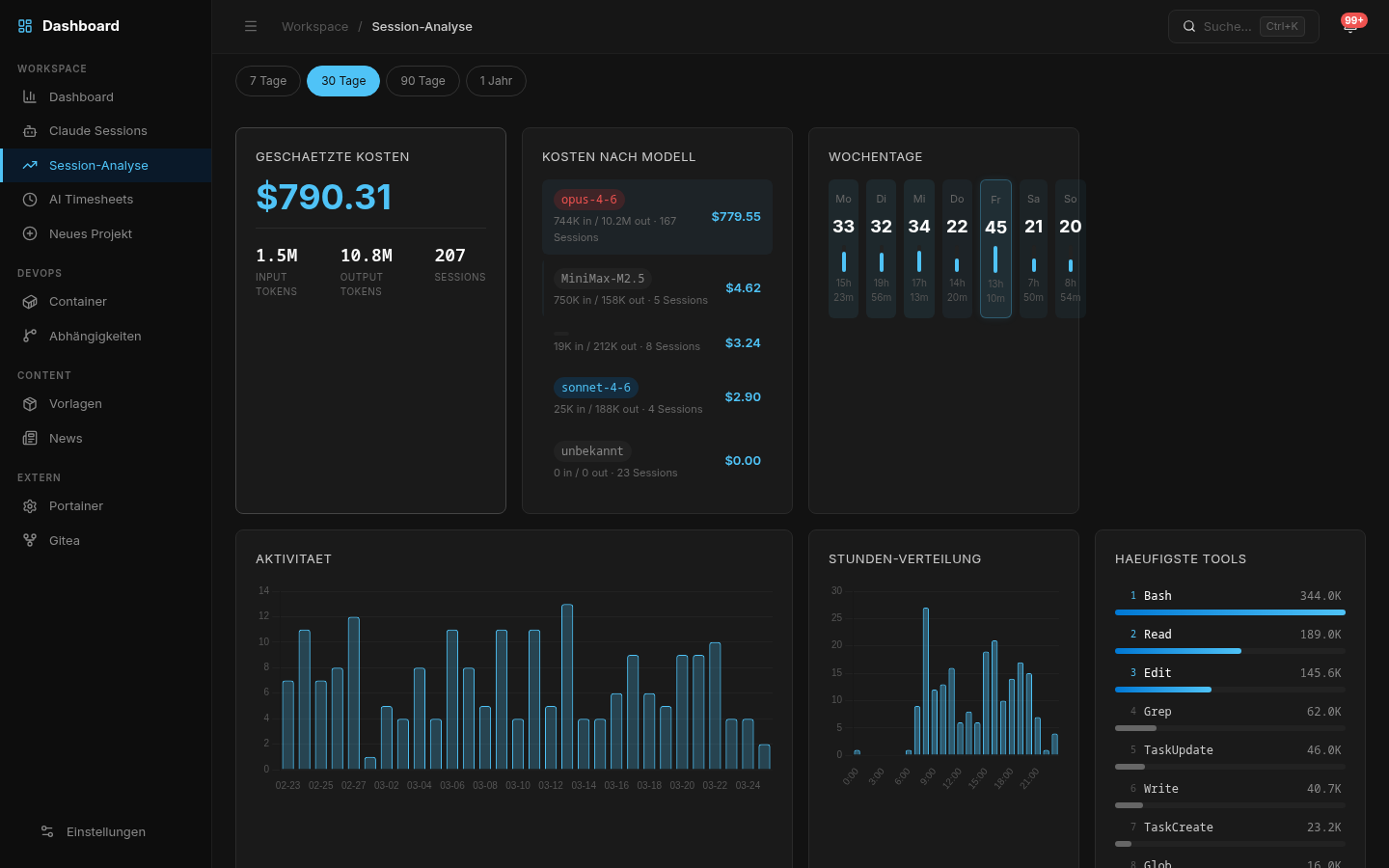
You see every session.
Every cost.
Everything that actually happened.
Jede Session sichtbar.
Jeder Cent nachvollziehbar.
Alles was wirklich passiert ist.
No more guessing. Keine Ratespiele mehr.
What you actually see. Was du wirklich siehst.
Each feature has a clear purpose: make something visible that was invisible before.
Jedes Feature hat einen klaren Zweck: Etwas sichtbar machen, das vorher unsichtbar war.
See immediately what Claude is doing. Full Markdown rendering, syntax highlighting, timestamps per message, navigable table of contents.
Sieh sofort, was Claude gerade macht. Vollständiges Markdown-Rendering, Syntax-Highlighting, Timestamps pro Nachricht, navigierbares Inhaltsverzeichnis.
API costs broken down by model, project and timeframe. Token tracking, heatmaps, trend charts.
API-Kosten nach Modell, Projekt und Zeitraum aufgeschlüsselt. Token-Tracking, Heatmaps, Trend-Charts.
Reconstruct, not guess. Every session logged, searchable, rateable. OK / Needs Fix / Reverted / Partial.
Nachvollziehen statt raten. Jede Session geloggt, durchsuchbar, bewertbar. OK / Needs Fix / Reverted / Partial.
See which containers are running, healthy, or problematic. Live status, health checks, ports, uptime.
Sieh, welche Container laufen, gesund sind oder Probleme haben. Live-Status, Health Checks, Ports, Uptime.
Automatic time tracking derived from session data. Know exactly how many hours each project consumed. Export-ready.
Automatisches Zeittracking aus Session-Daten. Weißt genau, wie viele Stunden jedes Projekt verbraucht hat. Exportbereit.
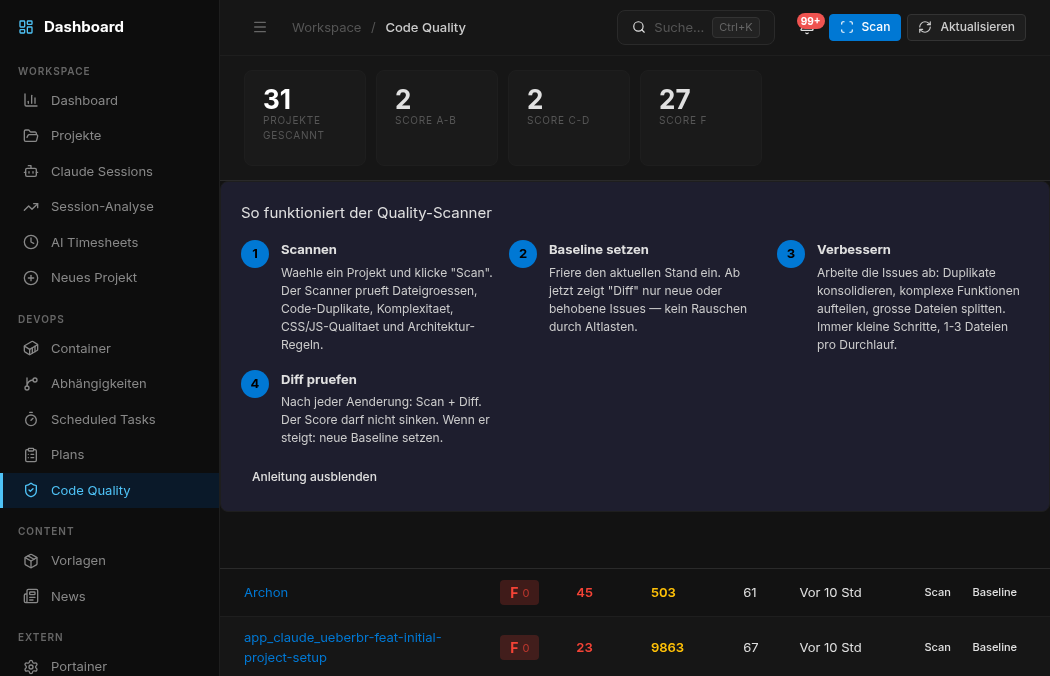
7 automated checks: file sizes, duplication, cyclomatic complexity, CSS quality, architecture rules. Baseline and diff workflow.
7 automatisierte Checks: Dateigrößen, Duplikate, zyklomatische Komplexität, CSS-Qualität, Architekturregeln. Baseline und Diff-Workflow.
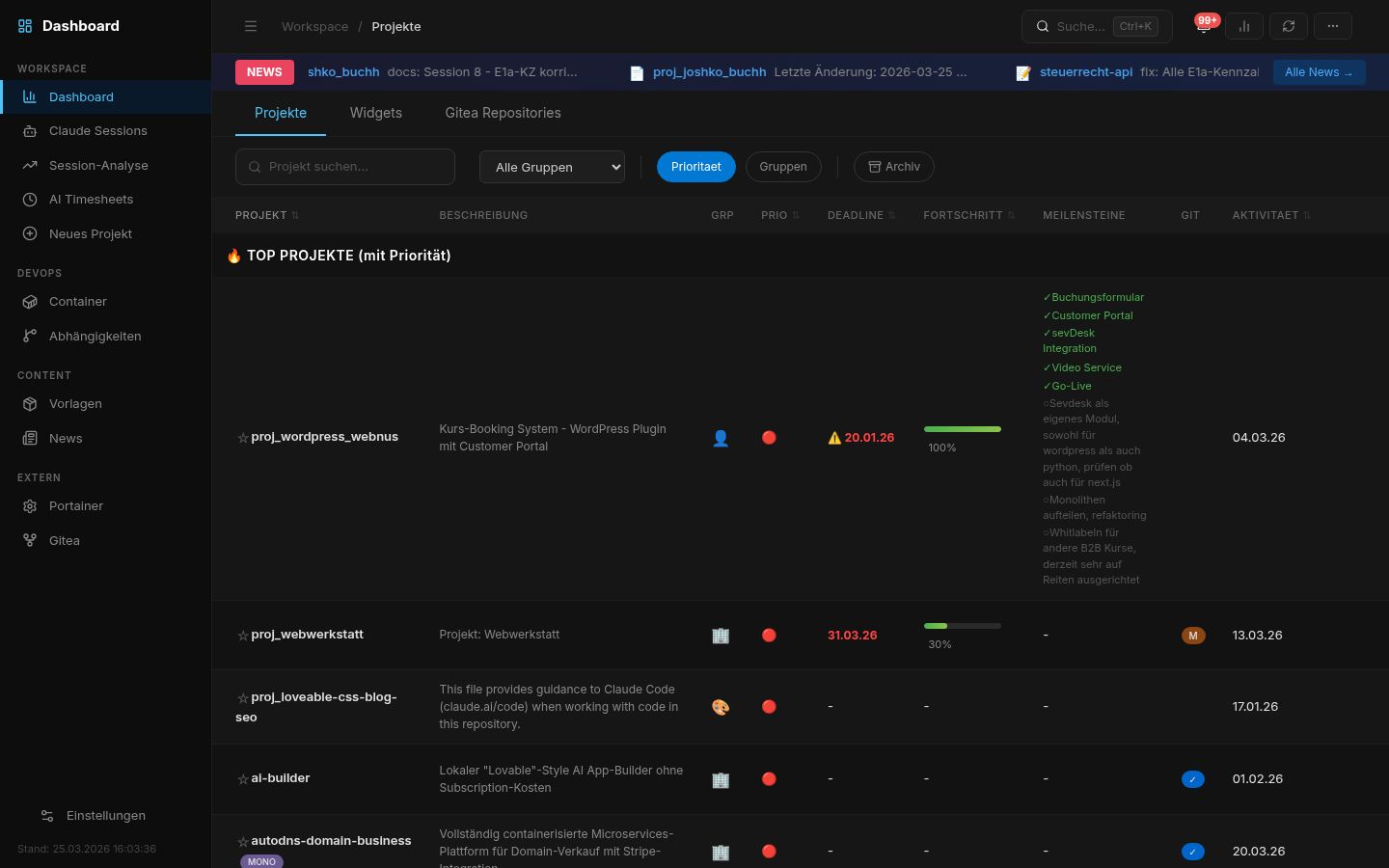
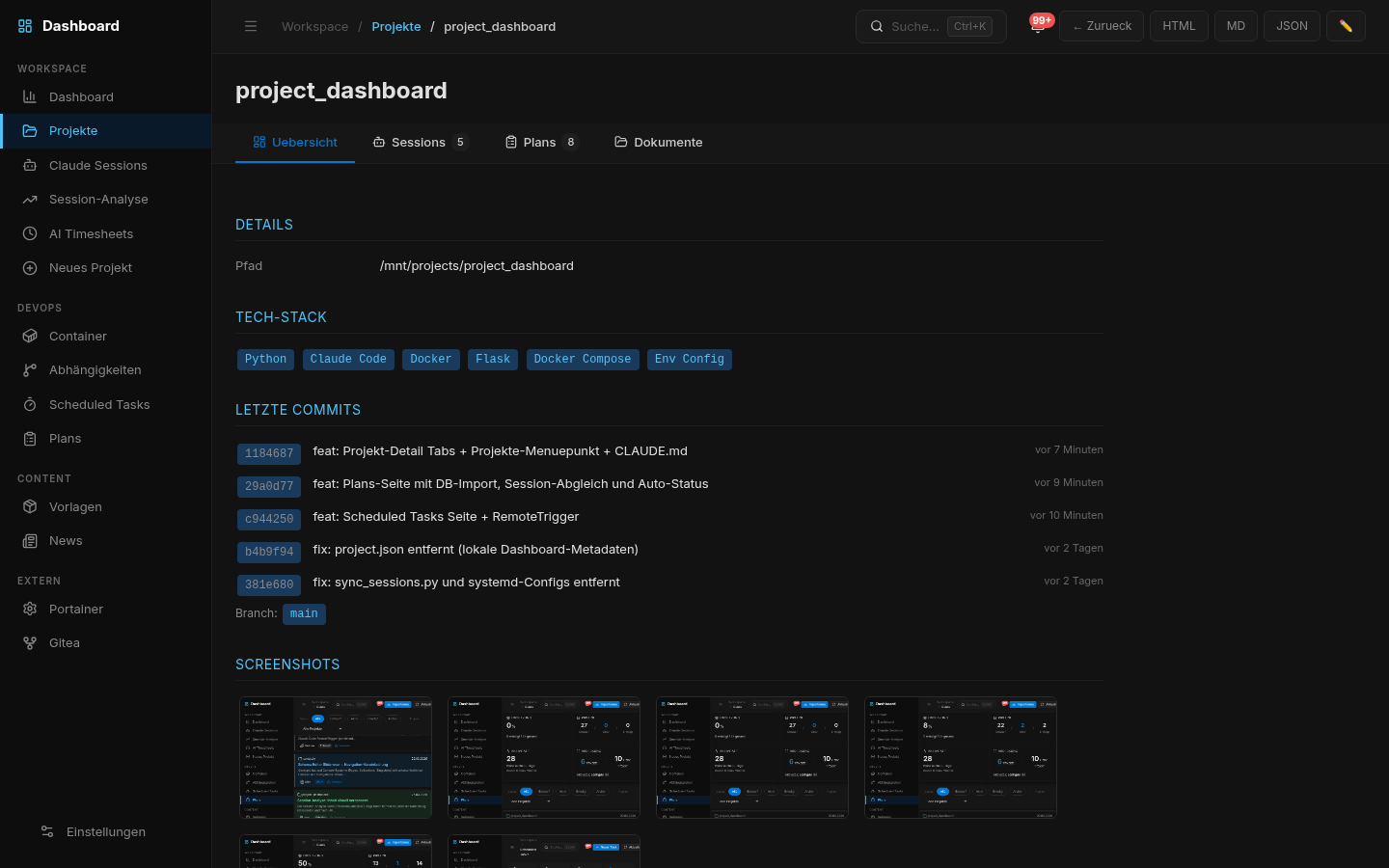
Automatically detects projects, monorepos, and sub-projects. Tabbed detail view: sessions, plans, documents, relations.
Erkennt Projekte, Monorepos und Sub-Projekte automatisch. Tabulierte Detailansicht: Sessions, Pläne, Dokumente, Relationen.
Ripgrep-powered search across all projects. Ctrl+K command palette for instant navigation.
Ripgrep-basierte Suche über alle Projekte. Ctrl+K Command Palette für sofortige Navigation.
Auto-discovers all AI coding accounts on your system. Claude Code, OpenAI Codex CLI, Google Gemini CLI — all in one dashboard.
Erkennt automatisch alle AI-Coding-Accounts auf deinem System. Claude Code, OpenAI Codex CLI, Google Gemini CLI — alles in einem Dashboard.
Real-time burn rates, plan limits (Pro/Max 5x/Max 20x), cost predictions, and reset timers — per account. Know exactly when you'll hit your limit.
Echtzeit-Burn-Rates, Plan-Limits (Pro/Max 5x/Max 20x), Kosten-Vorhersagen und Reset-Timer — pro Account. Wisse genau, wann du dein Limit erreichst.
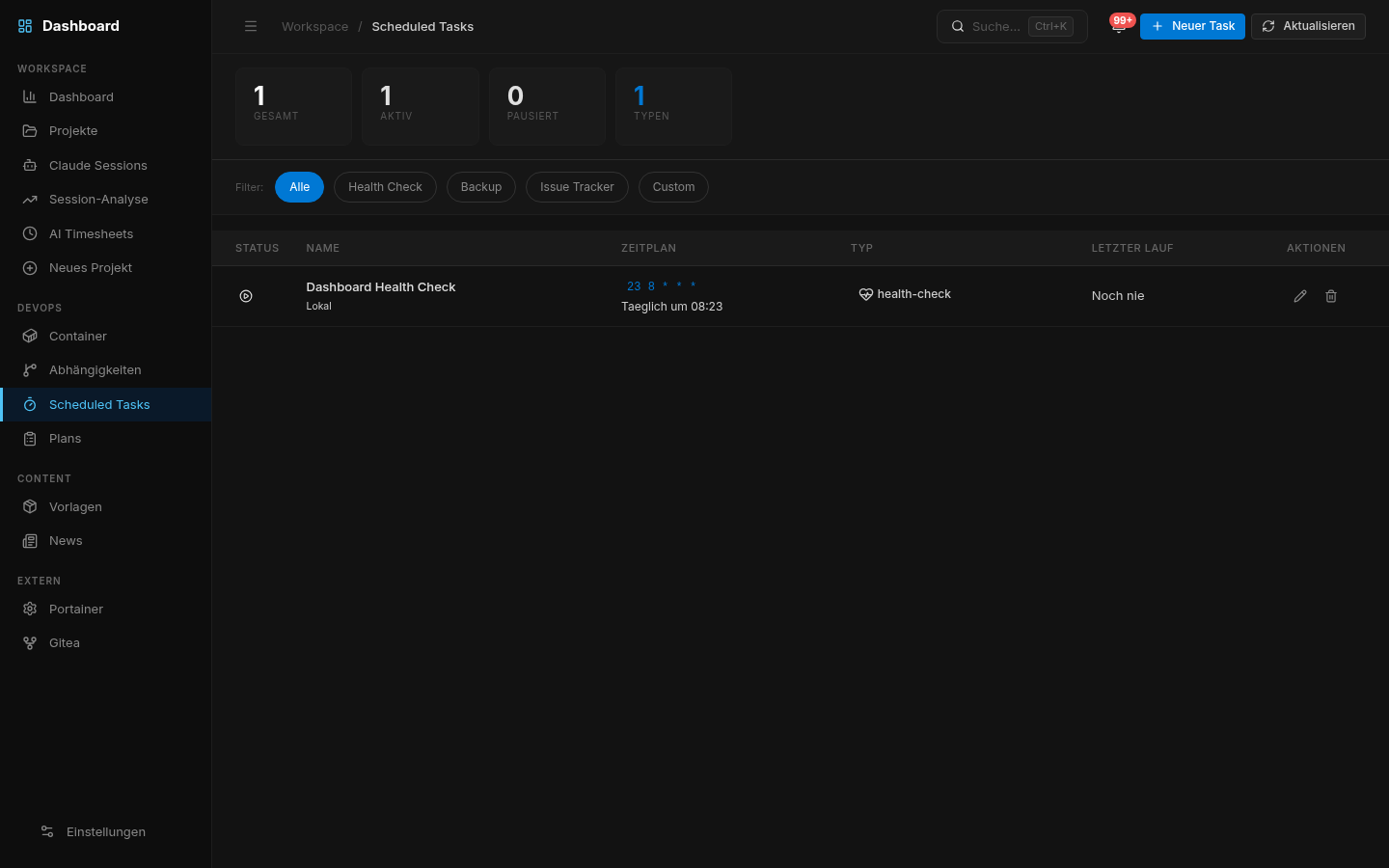
The dashboard in action Das Dashboard in der Praxis
Screenshots from real usage. What you see is what you get.
Screenshots aus dem echten Betrieb. Was du siehst, ist was du bekommst.
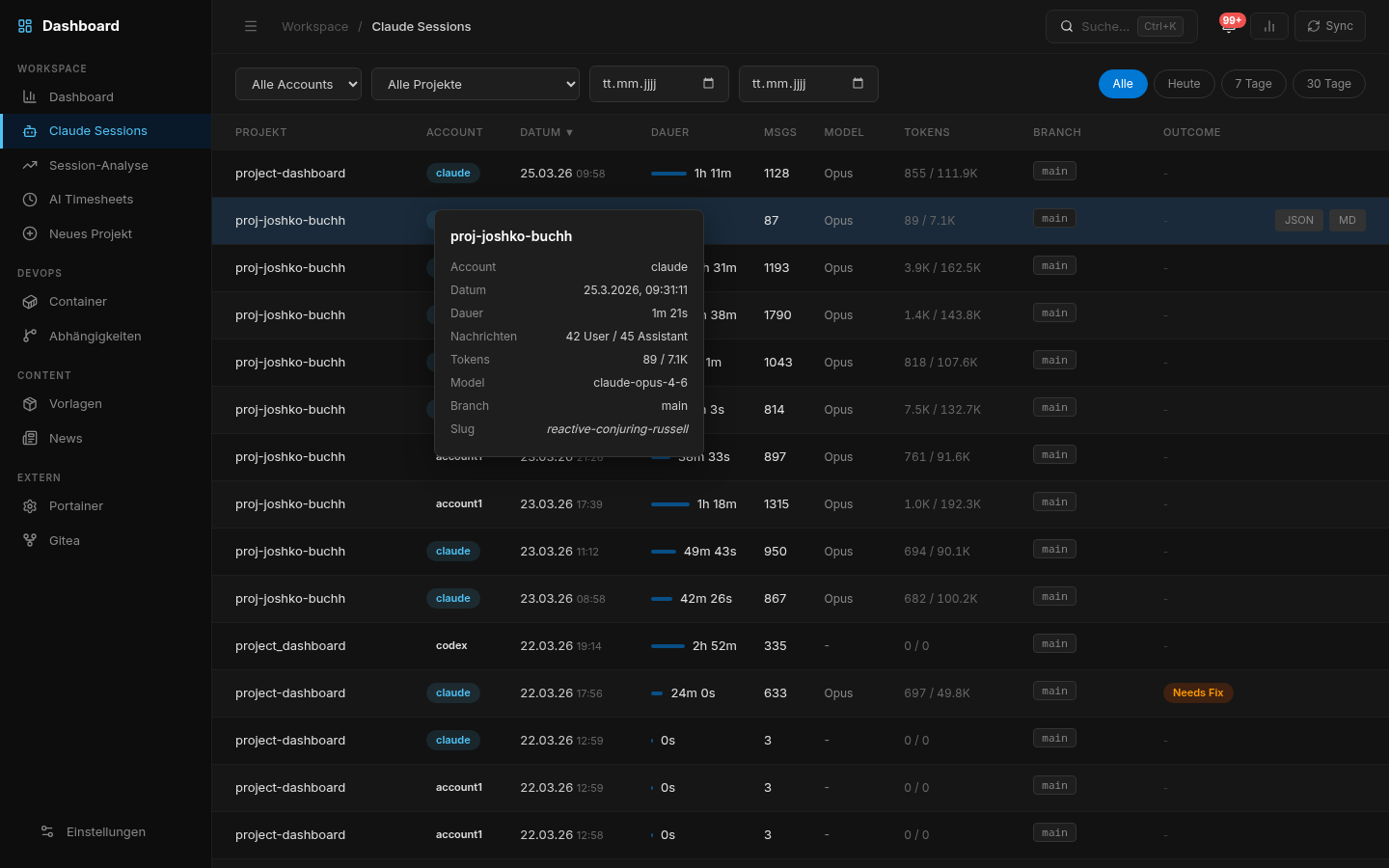
All sessions across all accounts. Filter by project, date, model.
Alle Sessions über alle Accounts. Filterbar nach Projekt, Datum, Modell.
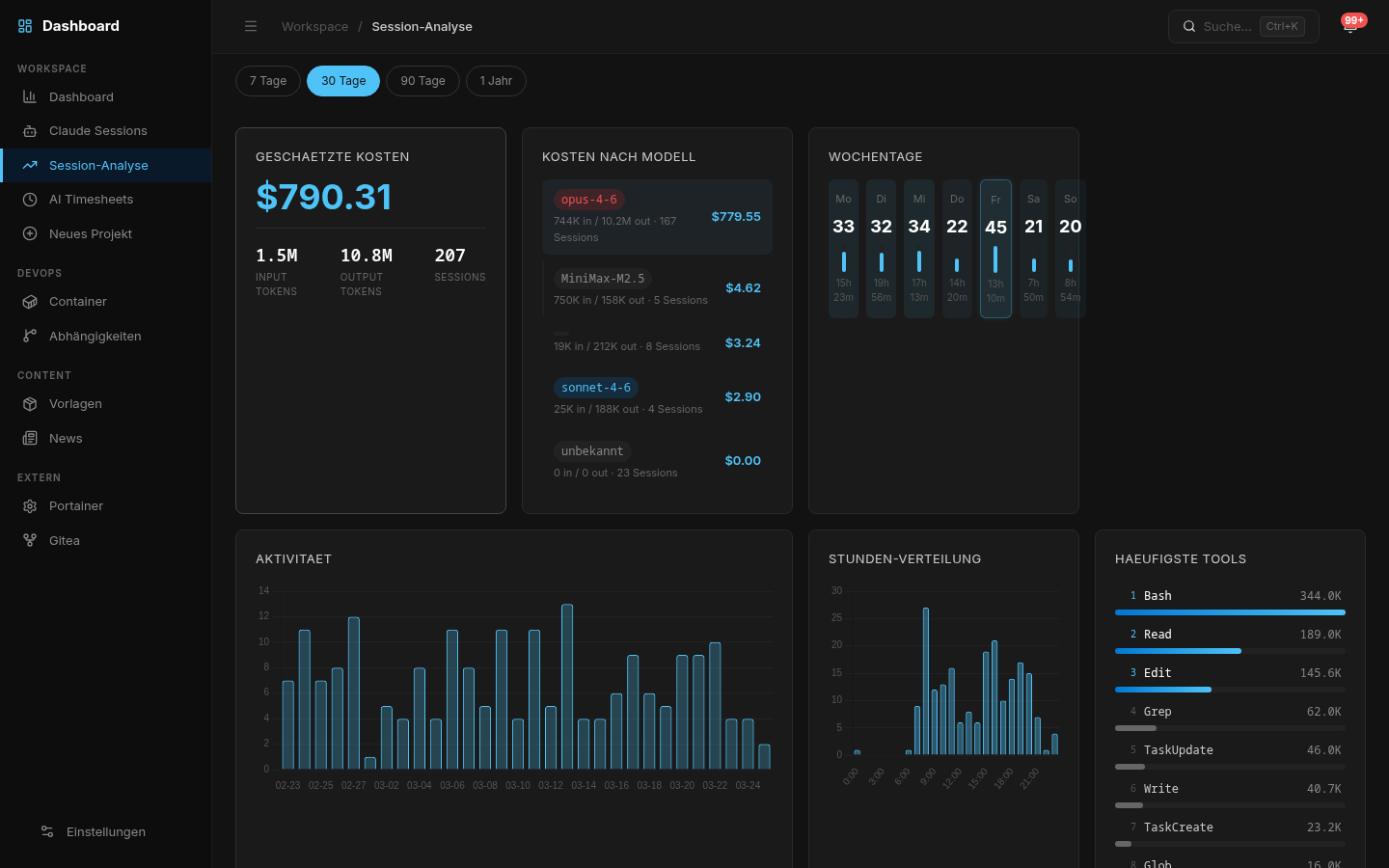
API costs broken down by model, project, and period. No surprises.
API-Kosten nach Modell, Projekt und Zeitraum. Keine Überraschungen.
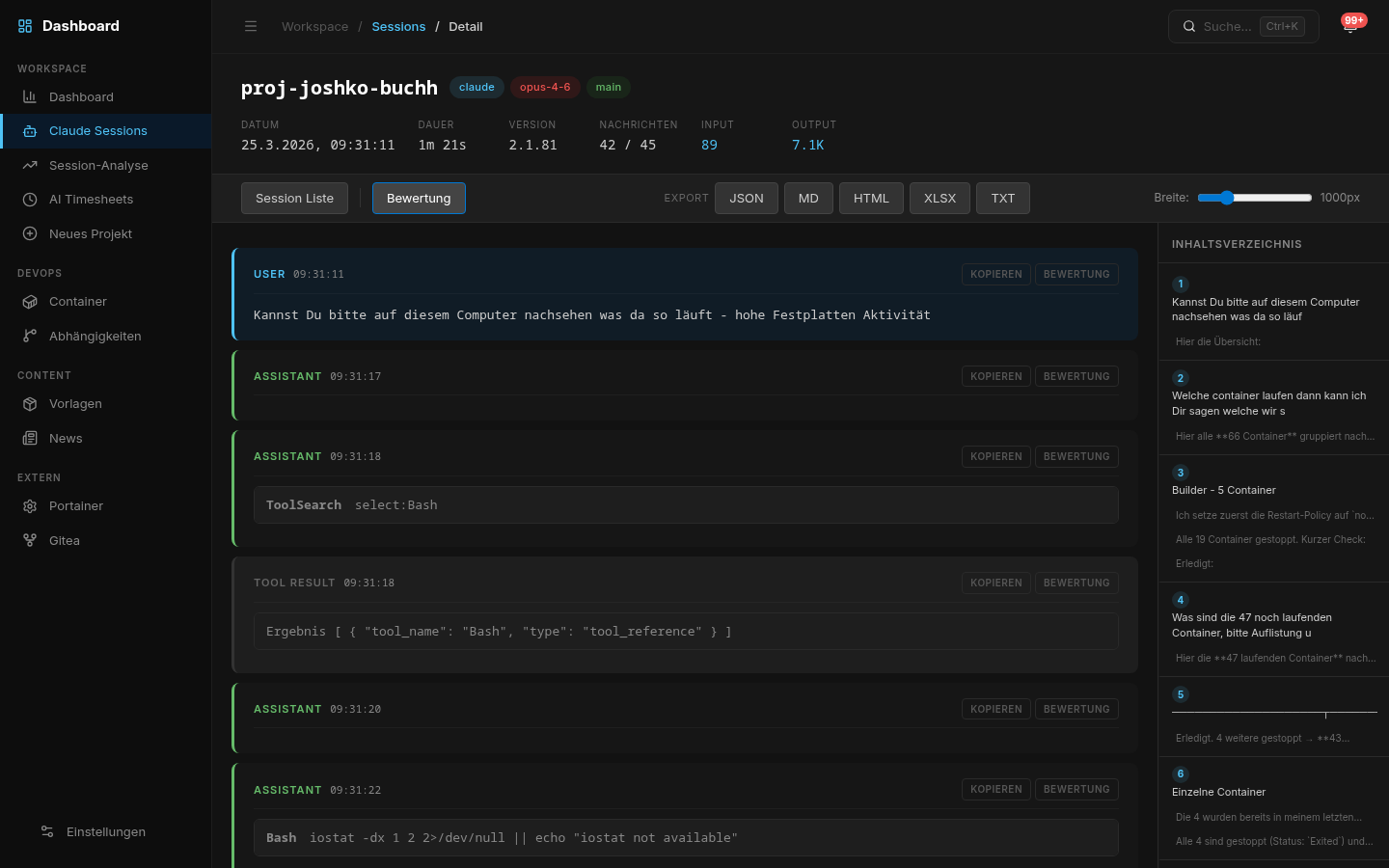
Full Markdown rendering, code blocks with syntax highlighting, navigable TOC.
Vollständiges Markdown-Rendering, Code-Blöcke mit Syntax-Highlighting, navigierbares Inhaltsverzeichnis.
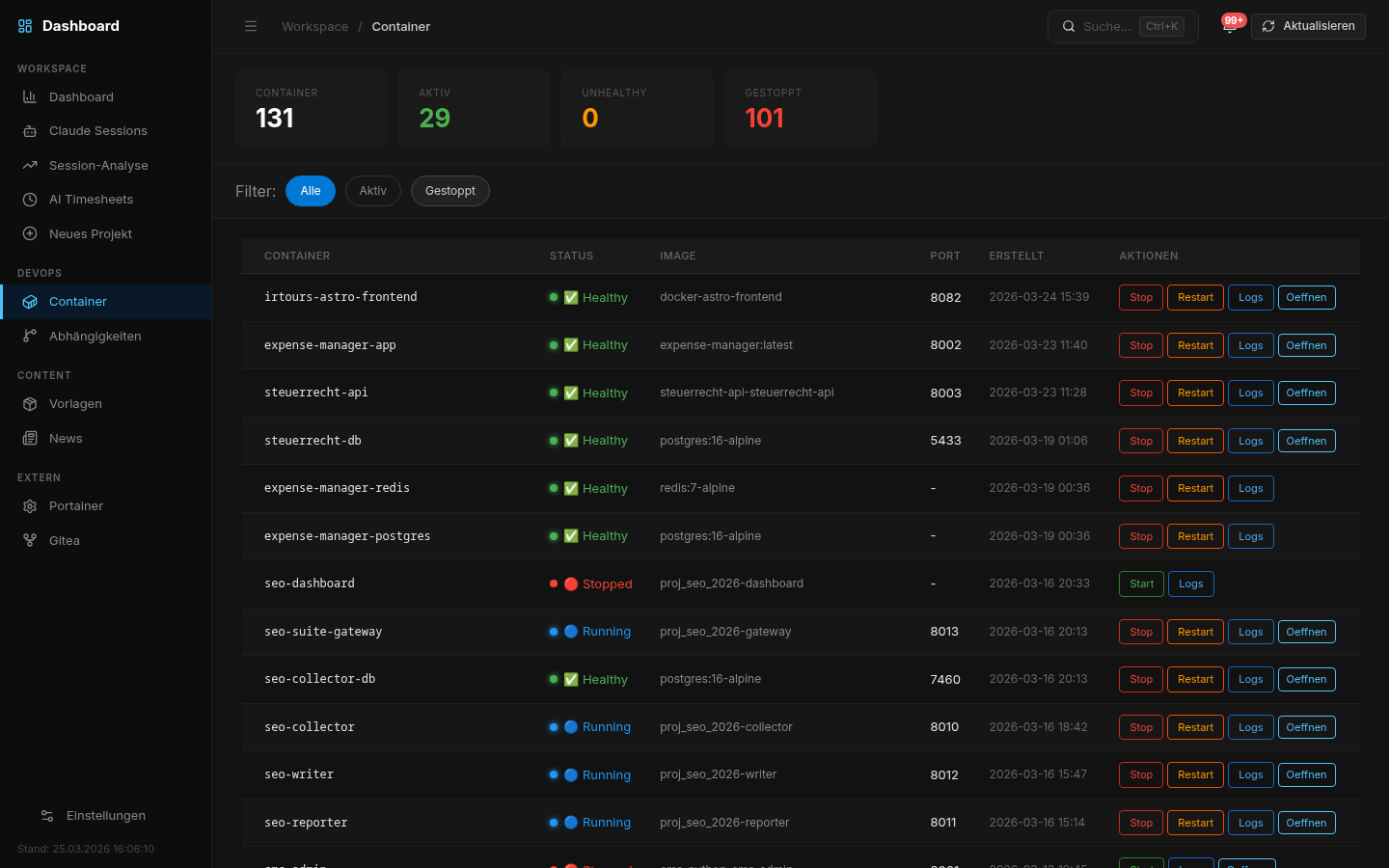
Live container status, health checks, port overview. Unhealthy containers notify immediately.
Live-Container-Status, Health Checks, Port-Übersicht. Unhealthy Container melden sich sofort.
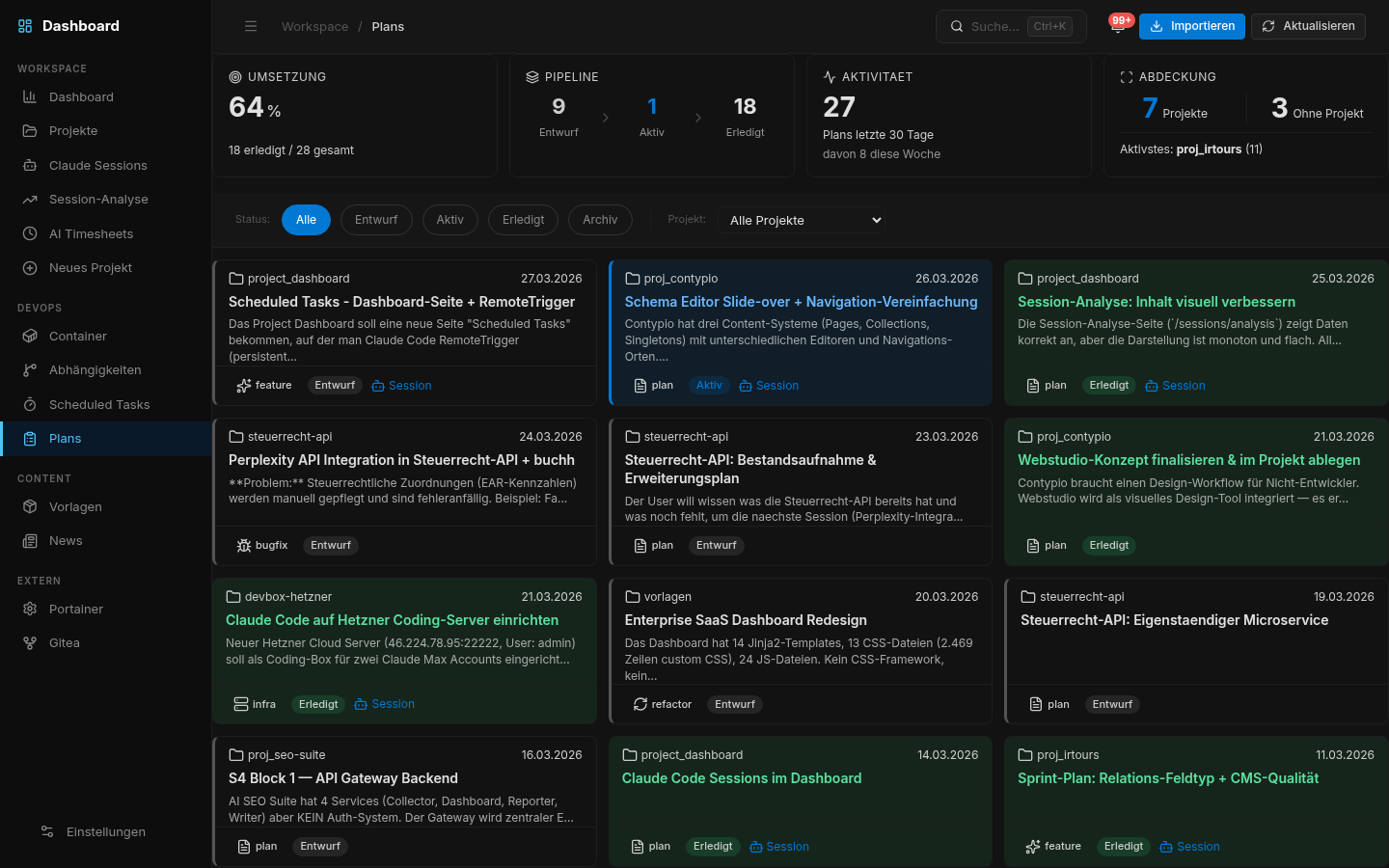
Dashboard, Plans, Quality Dashboard, Plans, Quality
Running in 3 commands In 3 Befehlen am Start
No build step. Docker or interactive setup wizard. Linux, macOS, Windows. PostgreSQL optional — everything works without it except Sessions.
Kein Build-Schritt. Docker oder interaktiver Setup-Wizard. Linux, macOS, Windows. PostgreSQL optional — alles funktioniert ohne, außer Sessions.
git clone https://github.com/web-werkstatt/session-pilot.git && cd session-pilot && cp .env.example .env
cp .env.example .env && docker compose up -d
http://localhost:5055 # sessions auto-discovered
Or use the interactive setup wizard: ./setup.sh (Linux/macOS) or setup.ps1 (Windows) — checks prerequisites, finds free ports, sets up the database.
Oder nutze den interaktiven Setup-Wizard: ./setup.sh (Linux/macOS) oder setup.ps1 (Windows) — prüft Voraussetzungen, findet freie Ports, richtet die Datenbank ein.
- ✓Full source code on GitHubVollständiger Quellcode auf GitHub
- ✓MIT License — commercial use permittedMIT-Lizenz — kommerzielle Nutzung erlaubt
- ✓No API key requiredKein API-Key erforderlich
- ✓No cloud, no telemetry, no SaaSKeine Cloud, kein Tracking, kein SaaS
- ✓Works offline on your own serverLäuft offline auf deinem eigenen Server
- ✓Docker & systemd deploymentDocker- & systemd-Deployment
Your server.
Your data.
Your rules.
Dein Server.
Deine Daten.
Deine Regeln.
What's inside Was drin steckt
No magic dependencies. No vendor lock-in. Standard tooling that runs anywhere. Keine Magic-Dependencies. Kein Vendor Lock-in. Standard-Tooling, das überall läuft.
- Python 3.9+ ApplicationApplikation REQUIRED
- Flask Web FrameworkWeb-Framework REQUIRED
- PostgreSQL 14+ Session StorageSession-Speicher OPTIONAL
- Docker Container MonitoringContainer-Monitoring OPTIONAL
- ripgrep Full-text SearchVolltext-Suche OPTIONAL
- Gitea Git IntegrationGit-Integration OPTIONAL
Built for developers
who actually use Claude Code.
Gebaut für Entwickler,
die Claude Code wirklich nutzen.
Frequently asked questions Häufige Fragen
./setup.sh on Linux/macOS or setup.ps1 on Windows. The interactive wizard checks prerequisites, finds free ports, and sets up the database automatically.
Ja — alle drei Plattformen werden voll unterstützt. Docker funktioniert überall. Für natives Setup: ./setup.sh auf Linux/macOS oder setup.ps1 auf Windows. Der interaktive Wizard prüft Voraussetzungen, findet freie Ports und richtet die Datenbank automatisch ein.
git pull && docker compose up -d --build. That's it.
Neueste Version von GitHub pullen und neu starten: git pull && docker compose up -d --build. Das war's.
You've been guessing
long enough.
Start seeing.
Du hast lange genug
geraten.
Fang an zu sehen.
3 commands. 2 minutes. Everything visible — on your own server.
3 Befehle. 2 Minuten. Alles sichtbar — auf deinem eigenen Server.
Free forever · Self-hosted · MIT License · No registration
Dauerhaft kostenlos · Self-hosted · MIT-Lizenz · Keine Registrierung
